.png)
Configure AlertsUpdated 3 months ago
CycliqPlus Karoo can play audio alerts through your Karoo while you ride, so you’re told about your Fly devices without having to look down. You choose which events alert you, the tone, and how strong the alert is.
To set them up, open CycliqPlus Karoo, go to Settings, and find In-ride Alerts.
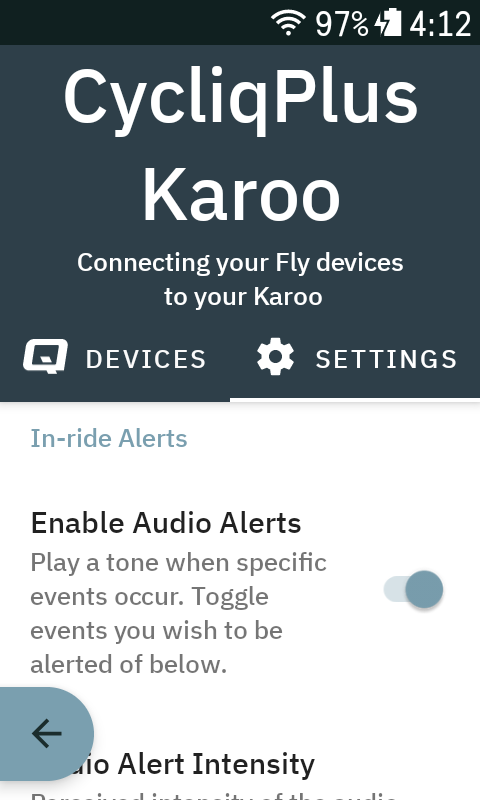
Turn alerts on or off
Use Enable Audio Alerts to play a tone when specific events occur. With it on, toggle the individual events you want below; with it off, CycliqPlus Karoo stays silent.
Choose which events alert you
- Low battery — a Fly device drops to your chosen battery level.
- Shutdown — a Fly device shuts down during an activity without you powering it off.
- Incident — footage is locked after an incident.
- Charging connected — a Fly device starts charging.
- Charging disconnected — a Fly device stops charging.
Tone and intensity
- Audio Alert Tone — choose the sound (e.g. Single Beep, Double Beep, or a Karoo tone), or set it to Disabled.
- Audio Alert Intensity — Quiet, Normal, or Loudest.
Tips
- Alerts play through the Karoo’s speaker, so set the intensity to suit your riding environment.
- If you only want safety-critical alerts, leave Incident and Low battery on and switch the charging alerts off.
- Repeated alerts are spaced out, so you won’t get the same alert firing back-to-back.