.png)
Configuring Auto Start UpUpdated 3 months ago
Auto-start lets your Karoo wake and connect to your Fly devices when the Karoo turns on. For this to work, your Fly must advertise over Bluetooth even when it’s powered off — this is its BLE Always On (or Always Visible) setting.
On the latest firmware — it’s automatic
If your Fly device is on the latest firmware, you don’t need to do anything. The first time CycliqPlus Karoo connects to it, the extension turns on BLE Always On for you. This applies to both the Fly12 Sport and Fly6 Pro.
Keeping your Fly devices on the latest firmware is the easiest way to get reliable auto-start. Update them in CycliqPlus Mobile or CycliqPlus Desktop.
On older firmware — set it yourself
If a device is on older firmware, set BLE visibility manually.
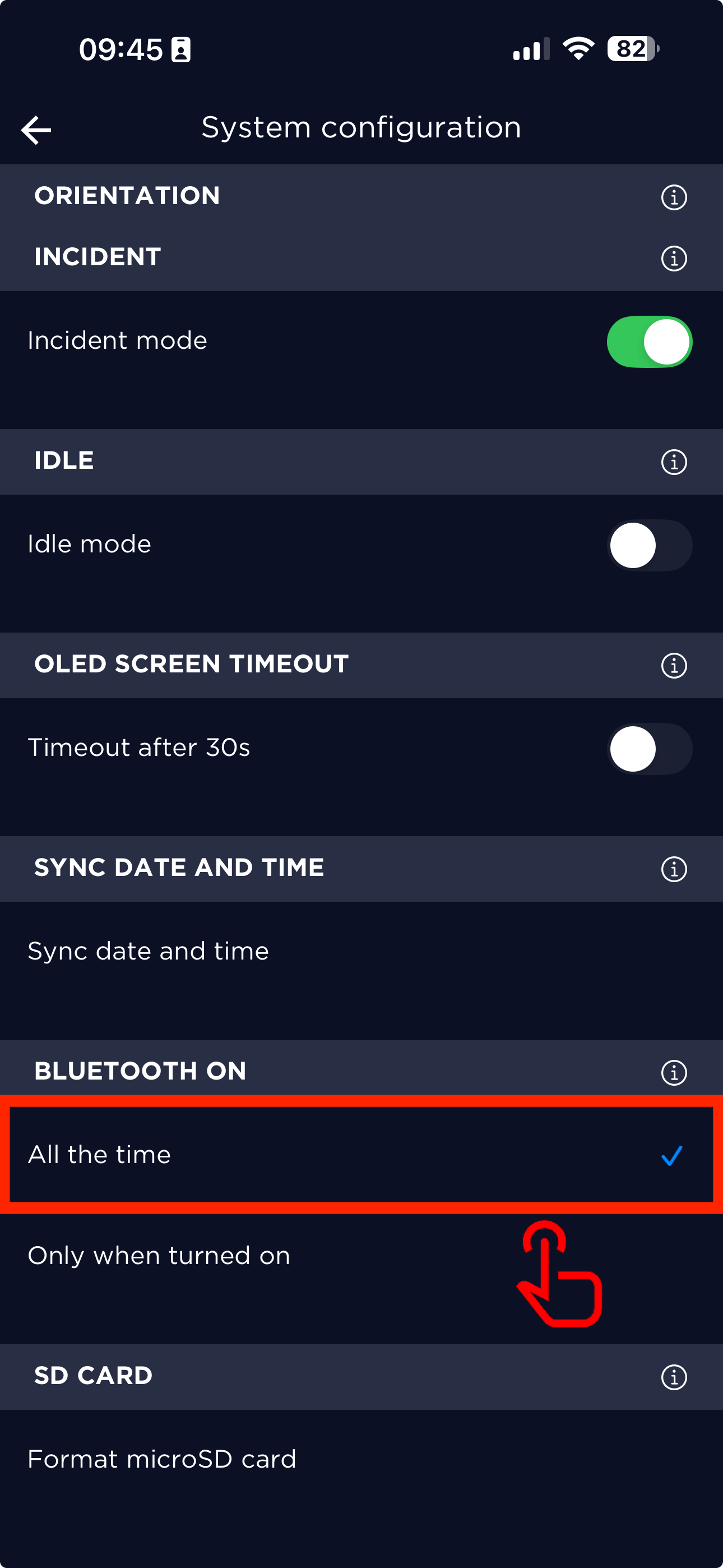
Fly6 Pro — via CycliqPlus Mobile
- Pair your Fly6 Pro in the mobile app.
- Go to Settings → System Configuration.
- Set Bluetooth Visibility → Always On.
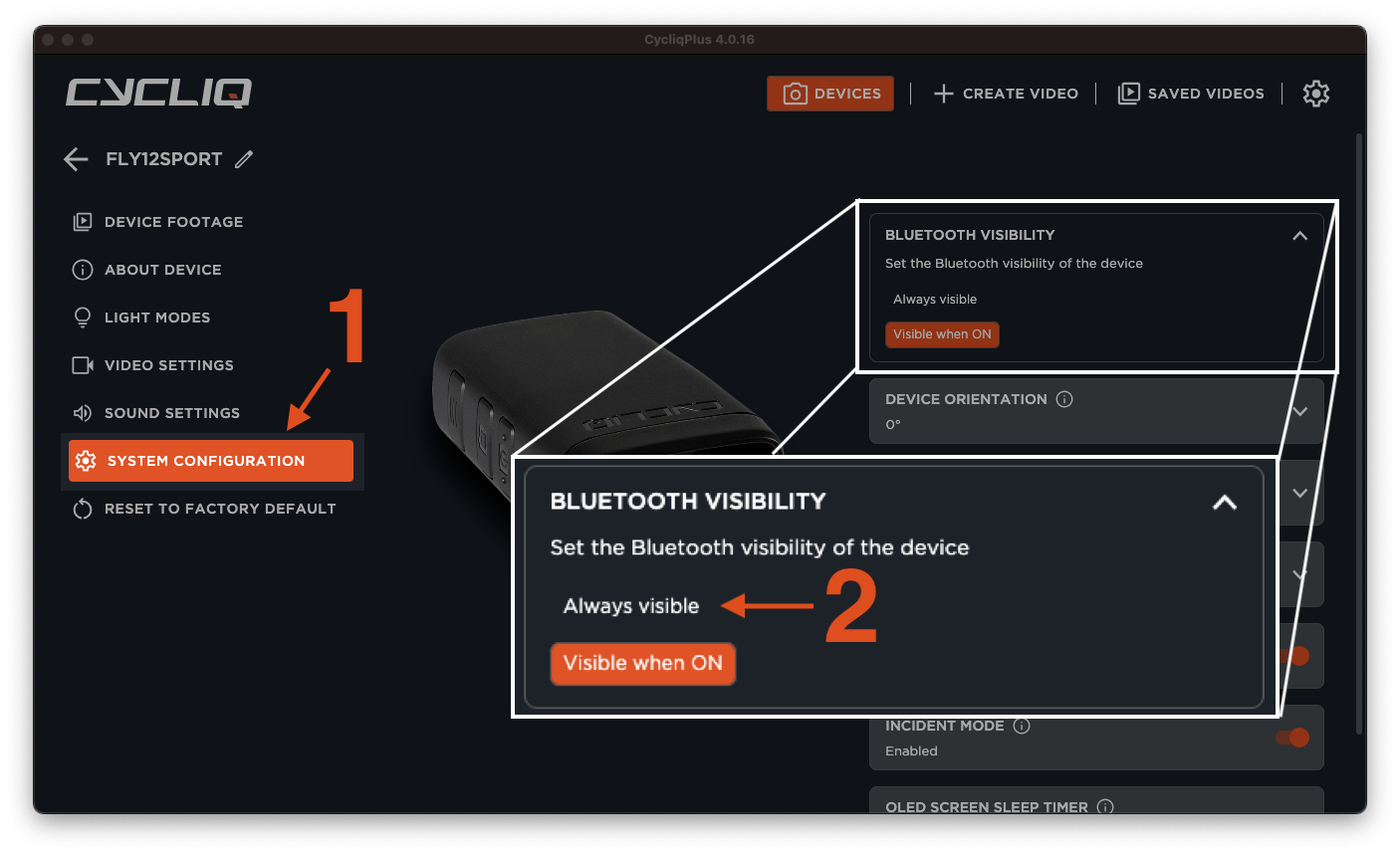
Fly12 Sport — via CycliqPlus Desktop
- Connect your Fly12 Sport to your computer via USB.
- Open CycliqPlus Desktop. (You may need to update to the latest version of CycliqPlus Desktop.)
- Select your device → System Configuration.
- Set Bluetooth Visibility → Always Visible.
Control when your Fly devices power on and off
Once your devices can be woken, choose when CycliqPlus Karoo powers them on and off so they match your ride. Open CycliqPlus Karoo → Settings → Powering On/Off.
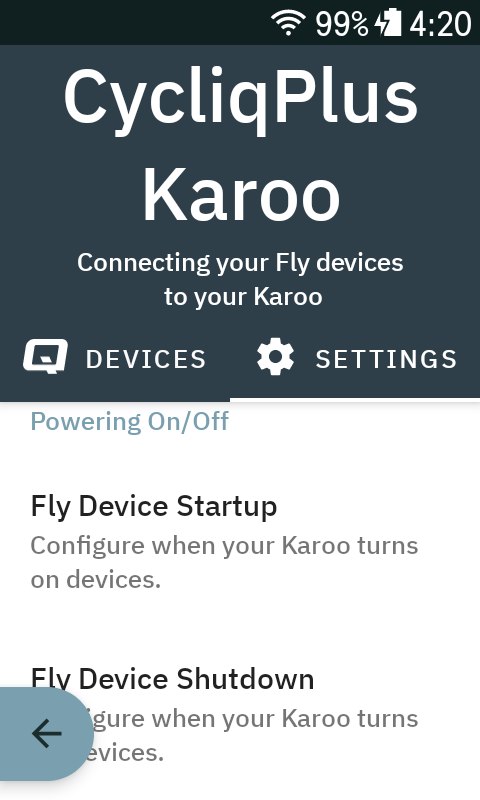 Image Caption
- Fly Device Startup — when your Karoo turns the devices on: On activity start (default) or On Karoo start up.
- Fly Device Shutdown — when your Karoo turns the devices off: On activity end (default) or On Karoo shutdown.
- Activity Manually Paused — what happens when you pause your activity: No action (default), or power the devices off after 1, 3, or 5 minutes paused.
This overlaps with your Fly device’s idle mode. A Fly device with idle mode enabled shuts down after 15 minutes of no movement, regardless of these settings — so a long pause or a stationary bike may power the cameras off on its own.
Verify auto-start
- Turn off your Fly devices.
- Turn on your Karoo with the CycliqPlus Karoo page configured.
- Within 60 seconds, your devices should power up and connect automatically.
If auto-start is inconsistent
- Update your Fly to the latest firmware so always-on is handled for you.
- Tap the Try again button on the device in the data field.
- Recheck BLE visibility settings.
- Ensure Fly device batteries aren’t critically low.
- Power-cycle your Karoo and try again near the devices.