.png)
Using CycliqPlus KarooUpdated 3 months ago
Once set up, just turn on your Karoo and start riding. The CycliqPlus Karoo page shows each connected device with its battery and current light mode (e.g. Organic, Pulse Low), and gives you camera controls along the bottom.
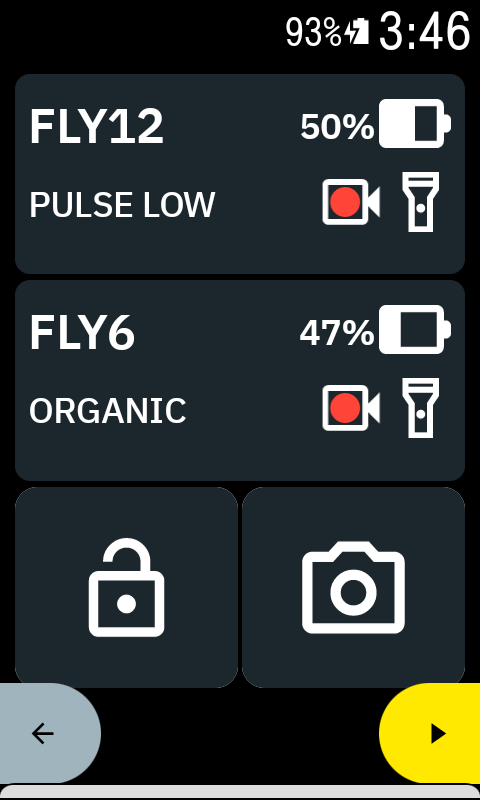
On both devices at once:
- View status at a glance — Live battery and current light mode for each device.
- Lock footage — Secure the current recording during an incident so it isn’t overwritten.
- Take a snapshot — Capture a still mid-ride without touching your camera.
Control a single device
Tap a device to select it — it highlights, and the buttons then act on just that camera.
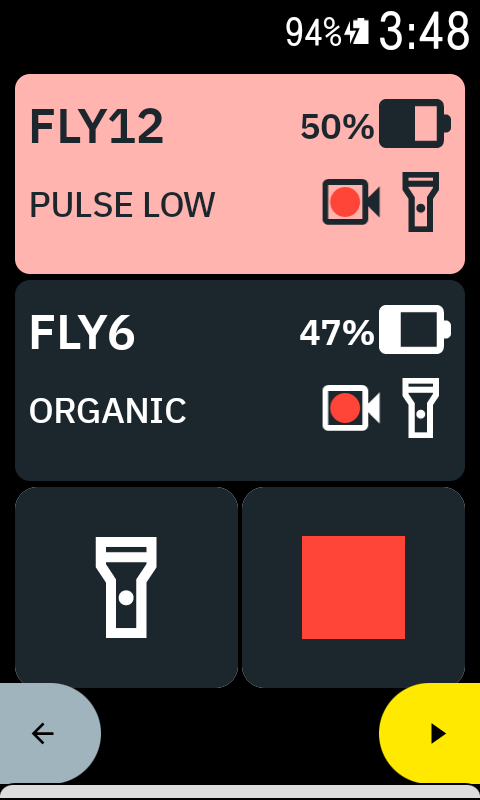
- Change light mode — Light up your way, or turn the light off to conserve power.
- Start/Stop recording — Manual control when you need it.
- Power on/off — From the bars, without handling the camera.
Battery data fields
Alongside the full Device Controls field, CycliqPlus Karoo provides two simple numeric fields — Fly12 Battery % and Fly6 Battery % — that show each camera’s battery level. Unlike Device Controls, these are ordinary data fields, so you can add them to any page alongside your other metrics such as speed or heart rate.
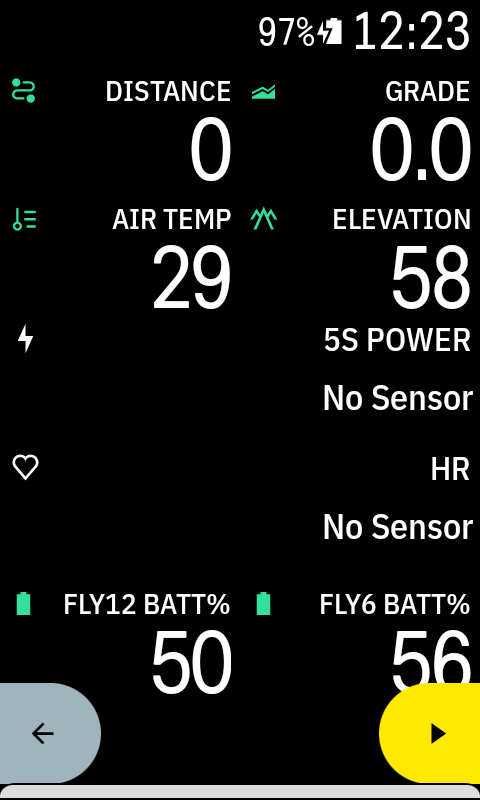
Add them like any other field: open Profiles → [Your Profile] → Data Pages, select a field, choose CycliqPlus Karoo, then pick Fly12 Battery % or Fly6 Battery %. The device must be connected for a level to show.
Tips
- Keep the data field on its own page for the clearest controls.
- If a device disconnects, it will attempt to reconnect automatically when back in range — tap the disconnected device to prompt it.
- Use actions only when it’s safe to do so. Keep your eyes up and hands steady.
- You may need to configure your devices so auto start-up and shut-down work. Read more here.