.png)
Fly12 Sport Door ReplacementUpdated 4 months ago
In this article we'll go over removing the faulty door, and replacing it with a fresh one.
Before we get started: required tools
- A long Philips Head screwdriver (PH1 recommended)
- Your Fly12 Sport, and replacement door
Step 1: Opening Door and Removing Hinge Screws
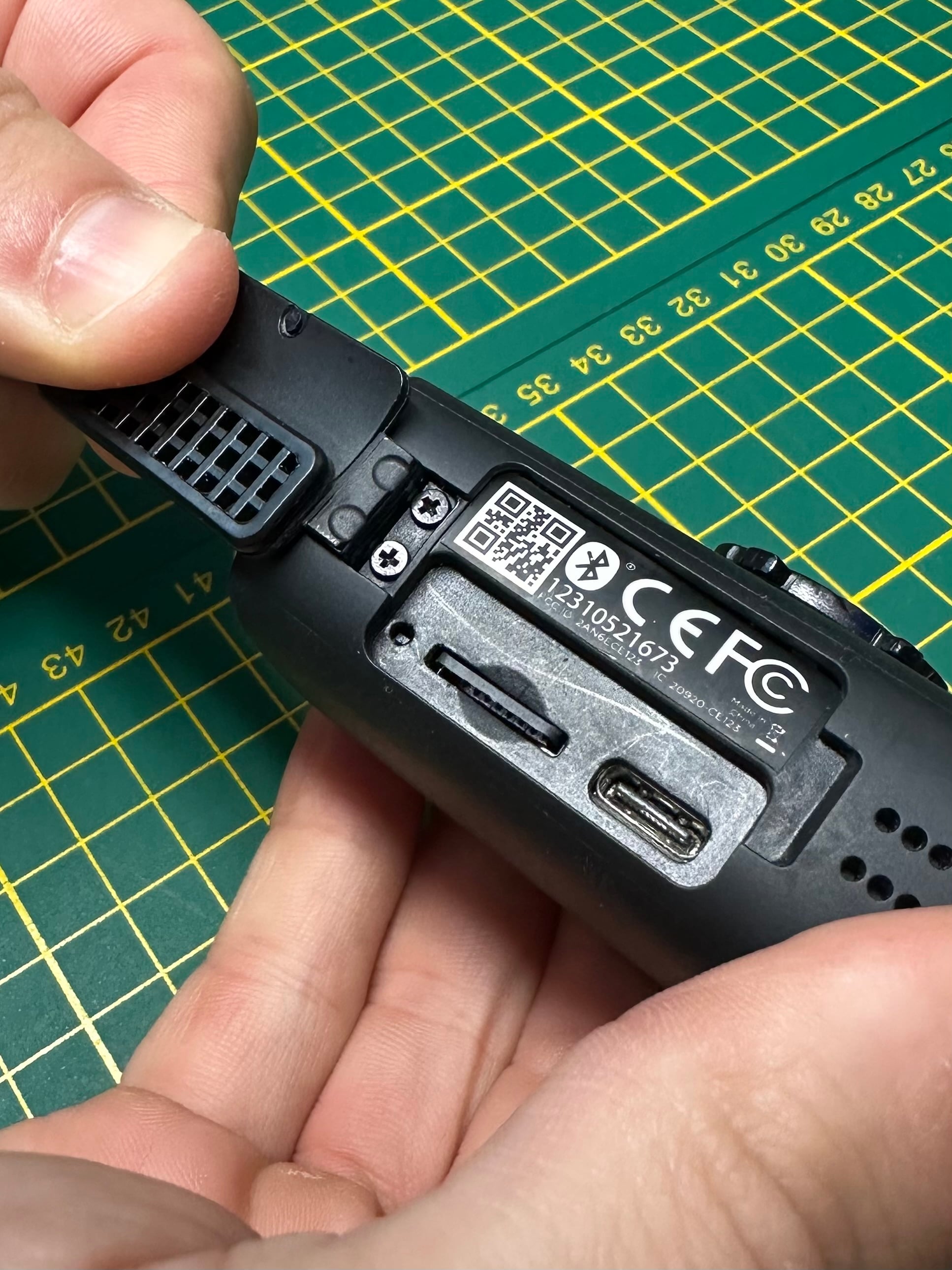
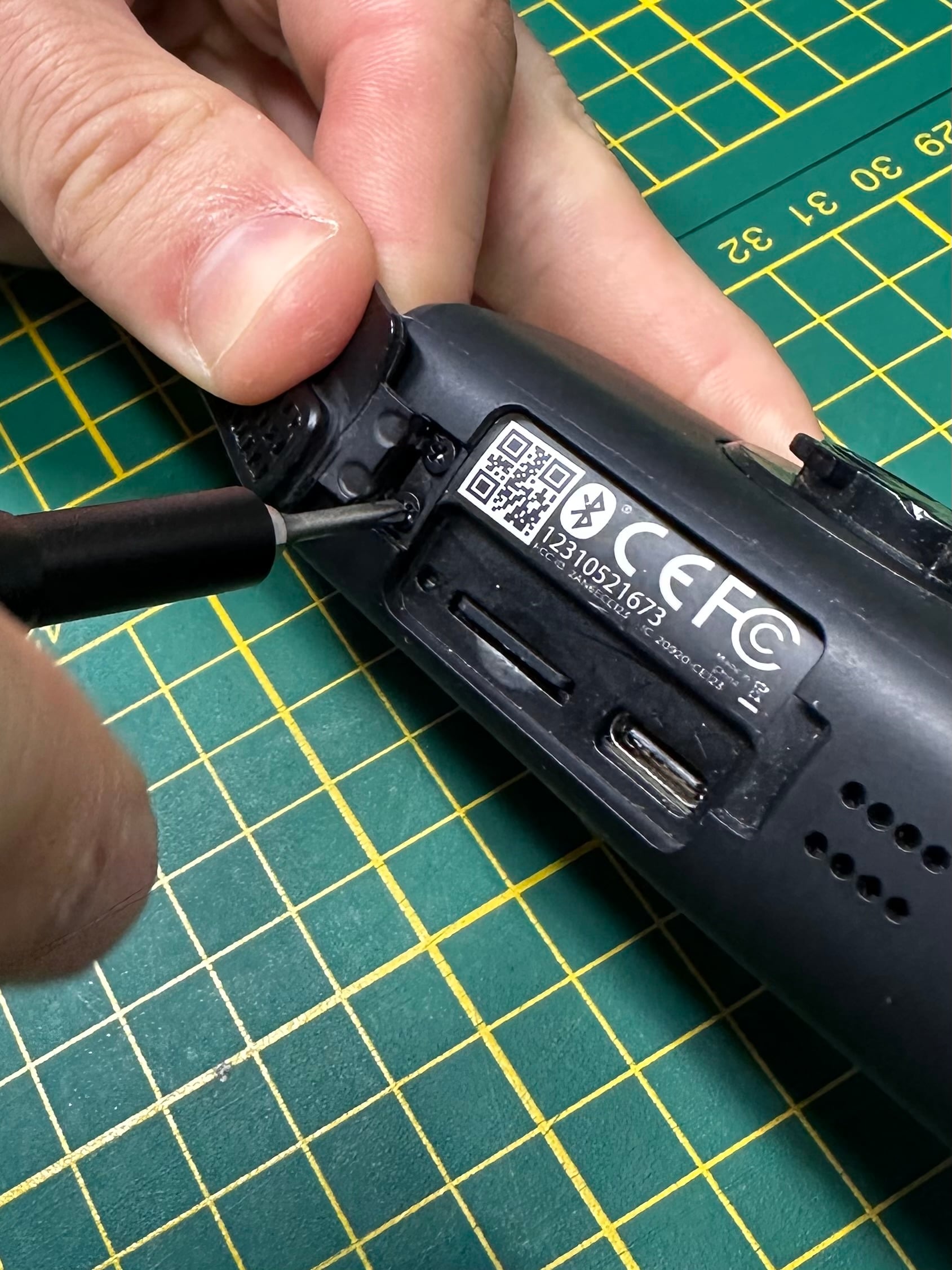
Open the door on your Fly12 Sport as you would when removing the memory card. Be sure to pull it back, like so in the photo.
Using your screwdriver, undo the screws on the hinge.
Step 2: Removing old door
Gently pull on the door, and it should pop out of the slot along with the screws to hold it in.
Step 3: Attaching new door
Using your screwdriver, press the new door and screws into the dedicated slot, and tighten them no tighter than finger tight.
Once you've got your new replacement door installed you're back in business with your Fly12 Sport keeping an eye out for you. Happy riding!